Food Lion Shop & Earn is the part of the MVP program that quietly puts money back in your pocket each month, and most shoppers leave it on the table simply because they forget one step. This guide explains how Shop & Earn works, how to activate your offers, how and when rewards are redeemed, and how to get the full value, around $20 in extra savings every month.
What Is Food Lion Shop & Earn?
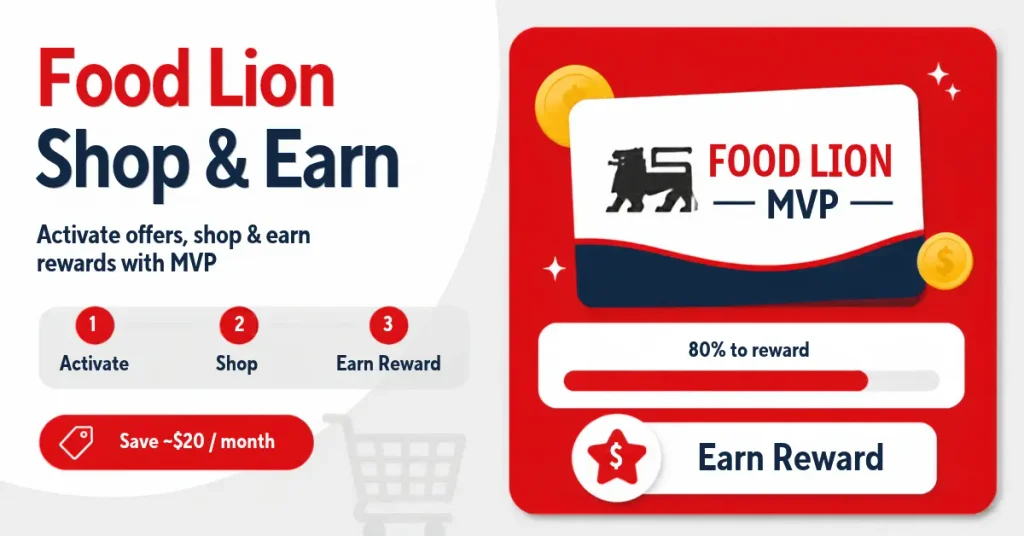
Food Lion Shop & Earn is a free, personalized monthly rewards program built into your MVP card. Each month you get a set of offers based on the categories and products you already buy, like “spend a certain amount in produce, earn a reward toward your next trip.” Shop those items with your MVP card, hit the goal, and the reward loads automatically. People often call these Shop & Earn savings because the rewards come straight off a future grocery bill.
A few key points up front:
- It’s free and comes with your MVP card.
- Rewards are personalized, so your offers won’t match your neighbor’s.
- Savings are on top of MVP prices, digital coupons and weekly sales.
- Shoppers save an average of around $20 a month.
The one catch, and it’s the reason people miss out, is that you have to activate your offers each month.
How Does Food Lion Shop & Earn Work?
The program runs on a simple three-step cycle: activate, shop, redeem.
- Activate: Sign in to your digital MVP account on the Food Lion app or website, open the Shop & Earn page, and activate your personalized offers for the month. New offers appear on the 1st of each month.
- Earn: Shop your offers and scan your MVP card (or enter your phone number) on every trip. Your progress tracks automatically, and once you reach an offer’s goal, the reward loads to your card.
- Redeem: Rewards are applied automatically on your next shopping trip when you scan your MVP card, or you can donate them to charity.
That’s it, once you activate, Food Lion tracks the rest.
How to Activate Food Lion Shop & Earn Offers
Activating is the step that matters most, because offers don’t count until you turn them on. Here’s how:
- Open the Food Lion app or go to foodlion.com and sign in to your MVP account.
- Go to the Shop & Earn page (on the Savings Hub online, or the Shop & Earn tab in the app).
- Review your personalized offers for the month and activate them.
- Start shopping for the offers with your MVP card.
Do this at the start of each month, since new offers drop on the 1st and old ones reset. A quick tip: set a monthly phone reminder so you never miss activation.
How to Redeem Shop & Earn Rewards
Redeeming is the easy part, there’s nothing to clip or enter. When you’ve earned a reward, it’s automatically applied to your next shopping trip as soon as you scan your MVP card. You’ll also see earned rewards noted on your receipt and in the app.
If you’d rather give back, you can donate your rewards to charity in $1 increments through the Shop & Earn page, which supports local hunger-relief efforts. The choice is yours each time.
When Do Shop & Earn Rewards Expire?
Timing trips people up, so here’s the rule: you have until the end of the month to earn a reward, and then until the end of the following month to redeem it. In practice that gives you roughly 30 to 60 days to use what you’ve earned. Rewards have no cash value and can only be used at Food Lion, and aren’t transferable so use them before they expire.
Food Lion Shop & Earn Login and Tracking
To check your offers and progress, sign in to your MVP account in the app or on the website. You can track everything in the MVP Wallet, which shows your redeemed rewards, redeemed coupons and year-to-date savings in one place. If you want to see how a specific offer is going, open the Shop & Earn page and it shows your progress toward each goal.
Shop & Earn Not Working or Rewards Missing?
If your Shop & Earn rewards aren’t showing or an offer didn’t count, run through these checks:
- Make sure you activated the offer before shopping, unactivated offers don’t track.
- Confirm you scanned your MVP card or entered your phone number on the trip.
- Check that you bought the qualifying items and hit the offer’s spending goal.
- Give it a little time, progress can take a bit to update after a purchase.
- Still stuck? Sign out and back in, update the app, or contact Food Lion customer service.
What Counts Toward Shop & Earn?
Shop & Earn offers are tied to the categories you shop most, think produce, meat and seafood, dairy, pantry staples or household items, and each offer tells you what qualifies and the spending goal to hit. A quick note on limits: certain purchases like alcohol typically don’t count toward promotional goals, so check the terms on each offer. The safest move is to read what each offer lists and shop those items with your MVP card.
Does Shop & Earn Work with Online Orders?
Yes. You earn the same Shop & Earn rewards on qualifying Food Lion To Go pickup and delivery orders, as long as your MVP card is linked to your account. Earned rewards can then be redeemed on your next trip, in store or online.
How Shop & Earn Fits with Your Other Savings
Shop & Earn is most powerful when you stack it with the rest of the MVP tools:
- Activate your Shop & Earn offers at the start of the month.
- Clip the week’s digital coupons to your MVP card.
- Shop the weekly ad MVP prices and BOGO deals.
- Scan your MVP card every trip so all three layers apply.
Stacking member pricing, coupons and Shop & Earn is where the biggest monthly savings come from.
Food Lion also runs seasonal rewards promotions alongside the regular monthly offers, for example a holiday deal where you shop six times and earn a $20 coupon. These work on the same idea: use your MVP card, hit the goal and the reward follows. Watch the app or site for whatever promotion is live.
Tips to Get the Most from Shop & Earn
- Activate your offers on the 1st of every month, set a reminder.
- Scan your MVP card on every trip, even small ones, so purchases count.
- Check your progress in the app partway through the month.
- Redeem rewards before the end of the following month.
- Consider donating rewards to charity if you won’t use them in time.
Frequently Asked Questions
What is Food Lion Shop & Earn?
It’s a free, personalized monthly rewards program tied to your MVP card. You activate offers, shop them, and earn rewards toward future trips.
How do I activate Shop & Earn?
Sign in to your MVP account on the app or foodlion.com, open the Shop & Earn page, and activate your offers. New offers appear on the 1st of each month.
Do I have to activate it every month?
Yes. Offers reset monthly, and they only count if you activate them, so log in at the start of each month.
How do I redeem Shop & Earn rewards?
They apply automatically on your next trip when you scan your MVP card. You can also choose to donate them to charity.
When do Shop & Earn rewards expire?
You earn them within the month and can redeem them until the end of the following month, about 30 to 60 days.
How much can I save with Shop & Earn?
Shoppers save an average of around $20 a month, on top of regular MVP savings and coupons.
Is Shop & Earn free?
Yes. It comes with your free MVP card at no cost.
Do I need to sign up for Shop & Earn?
Once you create a digital MVP account you’re enrolled automatically. You just have to activate your offers each month to start earning.
Is Shop & Earn a points program?
No. It isn’t about collecting points, you activate personalized offers and earn dollar rewards toward future purchases once you meet each goal.
Final Thoughts
Food Lion Shop & Earn is close to free money, but only if you remember the one step that counts: activating your offers at the start of each month. After that, it runs itself, you shop the way you already do, scan your MVP card and rewards load automatically to use on a later trip or donate to charity. Stack it with your digital coupons and the weekly ad and that average $20 a month adds up to real savings over the year.
Set a reminder for the 1st, activate your offers and let the program do the rest.
1 thought on “Food Lion Shop & Earn | How to Activate, Earn and Redeem Rewards”